Photogrammetric processing
Photogrammetric processing on GEO4X transforms your photos (taken by drone or other means) into usable deliverables such as orthophotoplans, digital elevation models or point clouds, directly integrated into your project on the platform.
1. Create an account and access the workspace
- Go to geo4x.com and create your administrator account.
- Log in with your username and password to access your workspace.
2. Create a project
- From the dashboard, click on Create a project, from the photogrammetry page or the project page.
- Enter the project name.
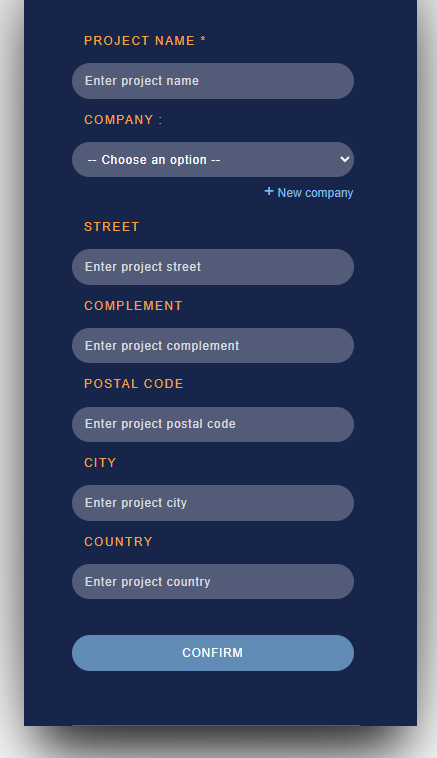
Confirm. Your project is now created.
3. Add your photos
- Open the project you've just created.
- Click on Add acquisition group.
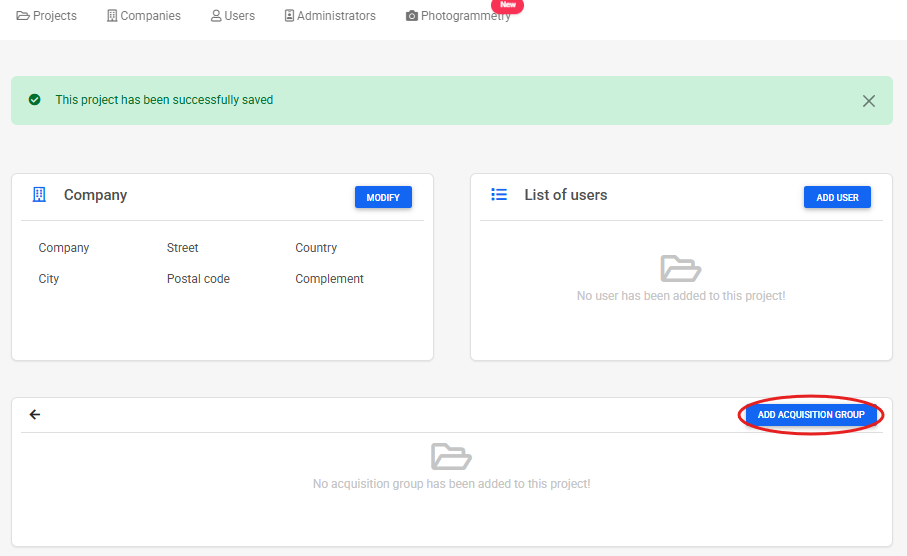
-
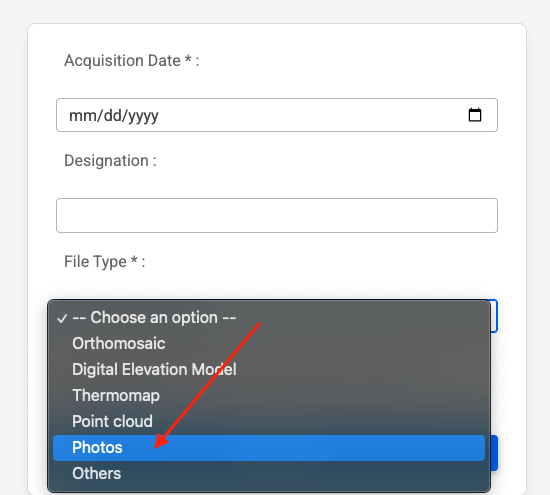
In the menu that appears :
- Add a date.
- Give this set of photos a name (optional).
- Select the Photos type.
- Upload your drone photos (or others) by clicking on Upload.
-
Wait for upload to complete.
4. Start photogrammetric processing
- Once you've uploaded your photos, click on Photogrammetric processing.
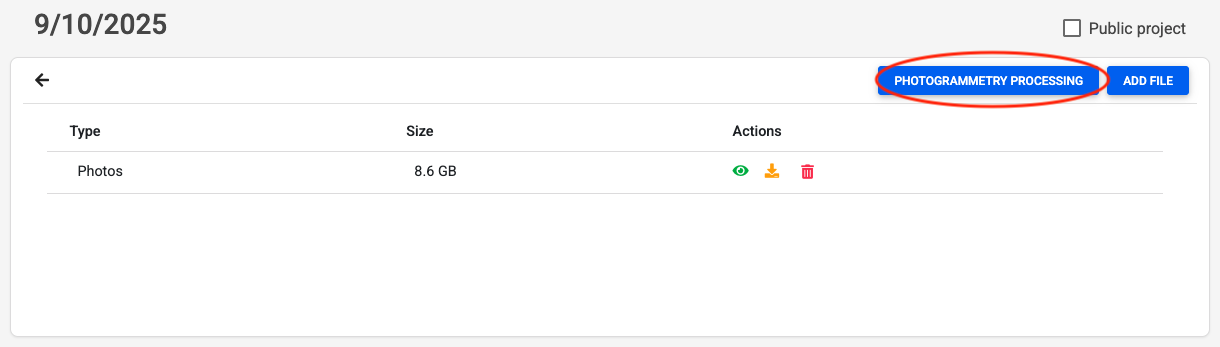
-
A new page opens with the following optional options:
- Advanced options (e.g. altimetric correction, GCP, thermomap, etc.).
- Comment field to specify your specific needs or constraints.
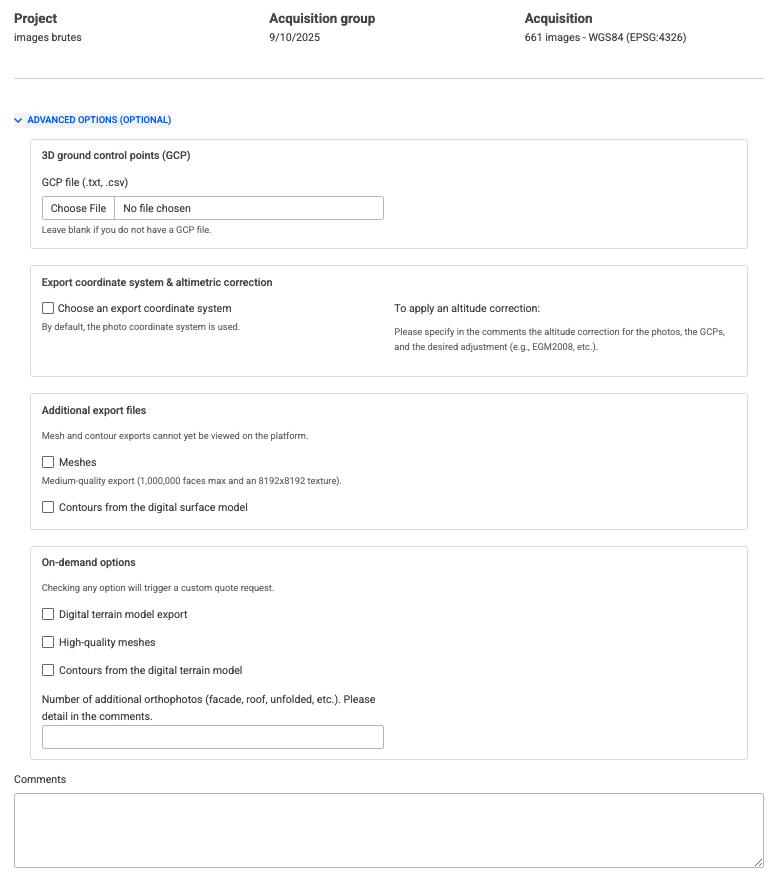
Advanced options are described below.
Ground control points (GCP)
- Purpose: to improve the absolute accuracy of the project.
- Accepted files:
.csvor.txt. - Additional step: after loading the GCP file, select the coordinate system (SCR) for the points.
- Specify in comments :
- vertical system / altimetric correction used*(e.g. EGM2008, IGN69, etc.*).
- If you don't have one: leave this field blank, the processing will be carried out using the GPS precision of the images.
Additional export files
These files cannot yet be viewed directly on GEO4X, but you will receive them as downloads.
- Meshes (medium quality)
- Generates a textured 3D model.
- Maximum size: 1,000,000 facets with a texture of 8192x8192.
- Useful for obtaining a realistic 3D representation of the site.
- Contour lines (from DSM)
- Generated from the digital surface model (DSM).
- Ideal for visualizing the topography as captured (including vegetation, buildings, etc.).
Options on request (require a customized quote)
By checking one of these options, your request will automatically switch to "Request a quote".
- Digital terrain model (DTM) export
- Export a digital terrain model.
- Provides elevation information without vegetation and buildings.
- High-quality meshes
- More detailed mesh (more facets, more precise textures).
- For fine inspection or detailed rendering.
- Contour lines (from DTM)
- Curves derived from the digital terrain model (without obstacles).
- More suitable for planning, topography or engineering.
- Additional orthophotos
- Possibility of generating orthophotos other than those of the ground.
- Examples: facade, roof, cylindrical building.
- Please specify the number and type of orthophotos required in the Comments field (e.g. North facade + roof).
Comments
Free zone to specify your requirements:
- Vertical or vertical datum (e.g. IGN69).
- Special areas of interest.
- Specific constraints or instructions.
5. Finalize order
Depending on the options selected:
-
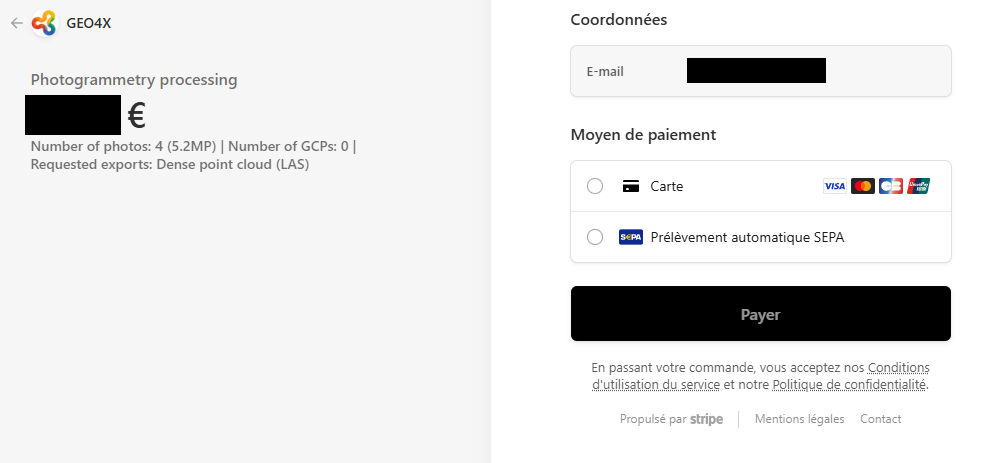
Immediate payment:
- An order summary appears (photos, options chosen, price).
- Click on Pay with Stripe to pay securely online.
- Once payment has been validated, processing will be launched by our teams.
-
Request a quote:
-
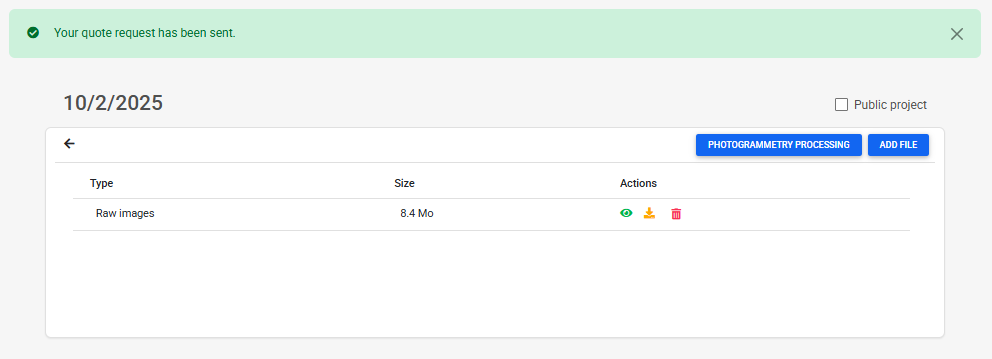
If you have chosen a specific configuration requiring validation, a message will confirm that a quote has been created.
-
Our team will contact you shortly to confirm the technical details and price.
-
You can then validate the quote before paying.
-
6. Processing follow-up
- You'll receive an email notification at each key stage (reception of photos, validation of payment/quotation, start of processing, data available).
- The results (orthophoto, digital model, point cloud, etc.) will be accessible directly in your GEO4X project)
- A table is available on the GEO4X page to track the progress of the process.
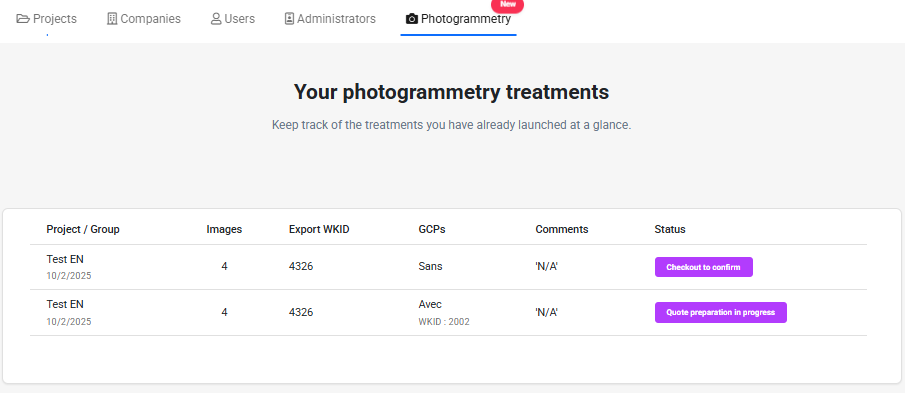
You can repeat these steps as many times as necessary to run several processes in a single project, but you need to create a new acqusition group for each new request.